 Minecraft
  Temple Run


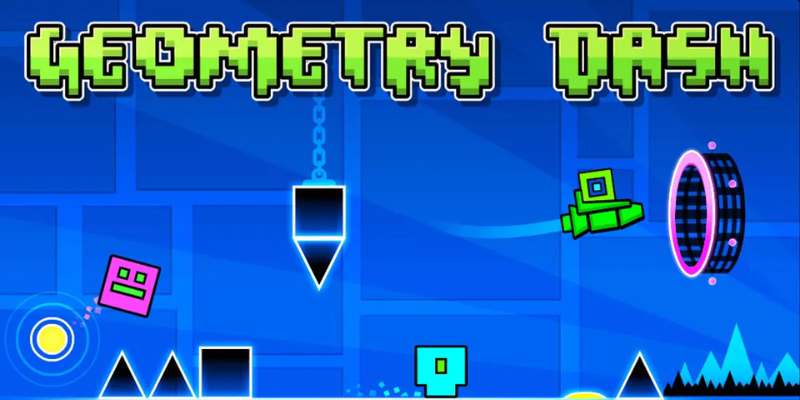
Geometry Dash 2.2 Download PC: Steam Download Guide
Geometry Dash 2.2 download for PC has been a hot topic among the Vietnamese gaming community since the official release of version 2.2. This is the biggest update after 6 years, introducing "The Tower" level, the Platformer Mode system, Ghost effects, and
Friday, 12/06/2026 02:37 am
.png)
Geometry Dash 2.2 download for PC has been a hot topic among the Vietnamese gaming community since the official release of version 2.2. This is the biggest update after 6 years, introducing "The Tower" level, the Platformer Mode system, Ghost effects, and 6 new characters. This article guides you on how to download Geometry Dash 2.2 for PC via Steam, other download sources, and the minimum/recommended system requirements.
What is Geometry Dash 2.2? What's New?
.png)
Geometry Dash is a 2D rhythm-platformer game developed by RobTop Games (Robert Topala, Sweden), originally released in 2013. Version 2.2 brings:
- The new "The Tower" level + 19 official levels
- Platformer Mode – 2D free-roaming movement (left/right)
- "Daily" and "Weekly" challenge tabs
- Ghost system (replaying other players' runs)
- 2 new swing copters
- 6 new characters + animations
- Updated online comments + creator tools
PC System Requirements for Geometry Dash 2.2
|
Specifications |
Minimum |
Recommended (60 FPS stable + Heavy Custom Levels) |
|
OS |
Windows 7 SP1 / macOS 10.15 / Ubuntu 18.04 |
Windows 10/11 64-bit |
|
CPU |
Intel Core 2 Duo 2.0GHz / AMD Athlon X2 |
Intel i3-8100 / AMD Ryzen 3 2200G or higher |
|
RAM |
1GB - 2GB |
4GB |
|
GPU |
Intel HD 3000 / NVIDIA GeForce 8000 / AMD Radeon HD 4000 (OpenGL 2.0 support) |
Intel UHD 630 / NVIDIA GTX 1050 / AMD RX 560 |
|
Storage |
100MB - 200MB |
500MB - 1GB (for community levels) |
|
Internet |
Not required (offline) |
Required (for online features) |
Geometry Dash is a very lightweight game that can run on a 10-year-old laptop. It is suitable even for netbooks and office PCs.
How to Download Geometry Dash 2.2 on PC via Steam (Official)
- Step 1: Sign up for Steam
Download Steam at store.steampowered.com. Create an account or log in.
- Step 2: Search for Geometry Dash
Go to the Steam Store and type "Geometry Dash" into the search bar.
- Step 3: Buy the game
Steam price: $4.99 (frequently discounted to $2.49 during sales). You can pay via Visa/Mastercard, MoMo, ZaloPay, or Steam Wallet.
- Step 4: Download and Install
After purchasing, go to your Library → Geometry Dash → click "Install". The game will automatically download (~200MB) and install within 2-5 minutes.
- Step 5: Play
Click "Play" to launch. Version 2.2 is already pre-updated.
Unofficial / Free Download Methods & Warnings
(Note: No relevant technical diagram is applicable here, provided text formatting for gameplay).
⚠️ Warning: Free (cracked) versions violate RobTop Games' copyright. It is highly recommended to purchase the official version on Steam.
1. Geometry Dash Lite (Official Free Version)
- Available on Google Play and the App Store (Android/iOS).
- PC version can be tried via the official site robtopgames.com.
- Only contains the first few levels and lacks online features. It is ideal for trying out before buying the full game.
2. GD Mobile Free (Web version)
- A JavaScript web version that allows you to play directly in your browser without downloading. However, its performance is slower than the native app.
3. Risks of Using Pirated/Cracked Versions
- Malware: Cracked versions often contain viruses or spyware.
- No Account Sync: You cannot sync your data with Steam or a RobTop Account.
- No Online Levels: You will miss out on millions of community-generated levels and official leaderboards.
- Support Indie Developers: RobTop has been developing this game solo since 2013. Buying it supports his hard work.
Geometry Dash 2.2 – The Biggest Update After Years of Waiting
.png)
Version 2.2 was released after a long anticipation since version 2.11 (2017). It stands as the largest update in the history of this indie game, introducing:
1. Platformer Mode
For the first time in Geometry Dash history, a Mario-style Platformer mode is introduced, allowing players to move freely left and right instead of auto-scrolling forward. This opens up a whole new ecosystem for Adventure and Puzzle levels.
2. Three New Main Levels
- Dash: Hard level, featuring music by Toolloo Lassoo – serving as the introduction to 2.2.
- Explorer Man: The first official Platformer mode level, featuring music by DJVI.
- The Tidal Wave: An extremely difficult Demon level, featuring music by MDK – a true challenge for top players.
3. New Editor with 100+ Triggers
- Camera Triggers (zoom, rotate, shake)
- Sequence & Advanced Animation Triggers
- Color Triggers for custom palettes
- Integrated Audio Triggers & Particle System Editor
4. New Skins and Icon Packs
Includes over 200+ Cube icons, 50+ Ship icons, 30+ UFO icons, 20+ Wave icons, 20+ Robot icons, 20+ Spider icons, 10+ Swing icons (new mode), and 10+ JetPack icons.
Gameplay Tips for Geometry Dash 2.2 on PC
Key Bindings (Controls)
- Jump: Space / Up Arrow / Z / X (Space is default)
- Pause: ESC
- Restart: R
- Practice Mode: Click the Hammer icon on the map level screen.
Tips for Beginners
- Start with Easy official levels: Stereo Madness, Back On Track, Polargeist.
- Learn Click Sync: Click to the beat of the music; do not rush.
- Use Practice Mode: To learn levels without worrying about dying. Press Z to place a checkpoint and X to delete the last one.
- Turn on No Particles in Settings to boost your FPS.
Tips for Pro Players
- Enable Show Progress Bar to track your completion percentage.
- Use a 144Hz+ monitor and a low-latency gaming mouse for optimal response times.
- Practice Demon levels 10-20 times in Practice Mode before attempting a Normal run.
- Join the official Geometry Dash Discord community to exchange tips.
Famous Online Levels
|
Level |
Creator |
Difficulty |
Characteristics |
|
Bloodbath |
Riot |
Extreme Demon |
Classic, legendary "boss fight" of GD |
|
Slaughterhouse |
Icedcave + IIINSAN3 |
Extreme Demon |
Built for top-tier players |
|
Tartarus |
Nasgubb + many |
Extreme Demon |
A legendary mega-collab |
|
Acu |
ASonicMen |
Extreme Demon |
Known as one of the hardest, yet accessible |
|
The Tidal Wave |
RobTop (Official) |
Extreme Demon |
The latest official top-tier challenge |
Frequently Asked Questions (FAQ)
- Q: Is 2.2 free on PC?
- A: No. The full version costs $4.99 on Steam. The Lite version is free but comes with limited levels.
- Q: Does 2.2 support M1/M2/M3 Macs?
- A: Yes. Geometry Dash runs natively on Apple Silicon via Steam.
- Q: Can I sync data between PC and Mobile?
- A: Yes. Create a RobTop Account in the game settings to sync your progress, icons, and levels across Steam, iOS, and Android.
- Q: When will version 2.3 be released?
- A: It hasn't been announced yet. Since 2.2 took 6 years to develop, version 2.3 might arrive around 2026–2028. You can follow Twitter @RobTopGames for updates.
- Q: What is a GDPS (Geometry Dash Private Server)?
- A: These are unofficial fan-made servers that offer free icons and custom levels. They are NOT recognized by RobTop, and downloading them carries malware risks.
Conclusion
Downloading Geometry Dash 2.2 on PC is easiest and safest via Steam for $4.99. The game is highly optimized, installs in less than 5 minutes, and runs smoothly on almost any old or office PC configuration.