
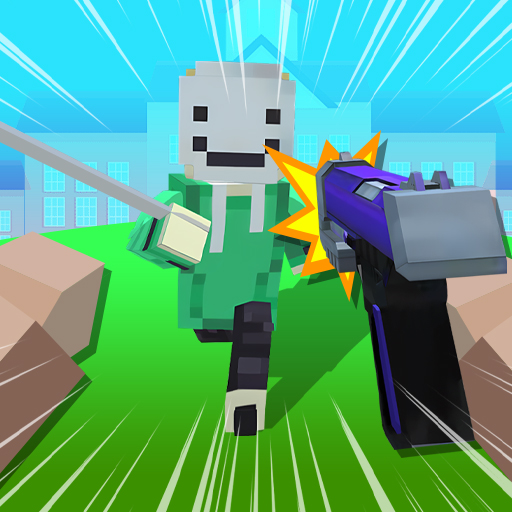
Block Craft 3D School

Block Craft 3D School

All trademarks belong to their respective owners.

DESCRIPTION

Block Craft 3D: School is a casual, voxel-based building simulator. Heavily inspired by Minecraft's Creative Mode, this game strips away the stressful survival elements like hunger and night-time monsters, focusing entirely on architectural creativity, in

Author

IXE Games & App Reviews
May 14, 2026 (1 months ago)

Block Craft 3D: School is a casual, voxel-based building simulator. Heavily inspired by Minecraft's Creative Mode, this game strips away the stressful survival elements like hunger and night-time monsters, focusing entirely on architectural creativity, interior decoration, and light social roleplay within a blocky, digital high school environment.

Gameplay Overview

The core loop is a relaxing, open-ended sandbox experience where your imagination and your patience for placing blocks are your only limits.

The Voxel Canvas

You are dropped into a bright, colorful, low-poly world equipped with an infinite inventory of building blocks. These blocks range from standard brick and wood to specialized school-themed items like desks, chalkboards, lockers, and gymnasium flooring. Your primary objective is simply to build, expand, and decorate your ideal school campus.

Blueprint Building

To make the game accessible to younger players or those who might feel overwhelmed by a blank canvas, the game often features a "Blueprint" system. You can select a pre-designed structure—like a cafeteria, a science lab, or a basketball court—and the game provides a translucent, step-by-step hologram for you to fill in with blocks, functioning like a digital LEGO set.

Social and Roleplay Elements

Once the school is built, the game often incorporates light simulation mechanics. You can populate your campus with blocky NPCs (students and teachers), adopt pets that follow you around the hallways, or visit the schools built by other players online to get inspiration for your own architectural projects.

What Makes it Unique?

Block Craft 3D: School taps into a very specific, universally popular gaming niche: the digital dollhouse and school roleplay scene.

Stress-Free Creation

Unlike traditional survival-crafting games where you have to spend hours mining for resources just to build a simple wooden hut, this game hands you everything upfront. There is no fear of a Creeper blowing up your hard work. It is a purely therapeutic, creative outlet.

The "School" Niche

School roleplay is a massive phenomenon in youth gaming (seen heavily in Roblox and Minecraft servers). Giving players a dedicated sandbox specifically optimized to build classrooms, cafeterias, and dormitories caters perfectly to players who want to simulate everyday life rather than fight dragons.

Pros & Cons

Pros

  • Sparks Creativity: It is an excellent digital outlet for architectural planning, interior design, and creative expression.
  • Highly Accessible: The blueprint system and simple touch-controls make it incredibly easy for younger gamers to build impressive structures.
  • Offline Playability: Many versions of this game can be played without an internet connection, making it great for car rides or flights.

Cons

  • Aggressive Monetization: While the game is free, the best blocks, unique furniture, and instant-build features are often locked behind paywalls, premium gems, or forced video ads.
  • Lack of Deep Gameplay: Because there is no survival mode or combat, players looking for a challenge or a narrative will get bored quickly once their school is finished.
  • Clunky Physics: Character movement and block placement can sometimes feel a bit stiff compared to premium voxel games.

Tips for New Players

1. Start with Blueprints

Even if you are an experienced builder, use the game's pre-made blueprints for your first few buildings. It is the fastest way to understand the scale of the game, see how different decorative blocks interact, and earn early-game rewards before you start building your own massive, custom structures.

2. Plan Your Layout First

Before you start placing expensive decorative blocks, use a cheap, brightly colored block (like neon wool or dirt) to outline the foundation of your entire school campus. Figuring out where the hallways, gym, and classrooms will go beforehand prevents you from having to tear down hours of work because you ran out of space.

3. Save Your Gems

The game will frequently try to tempt you into spending premium currency (gems) to speed up the building process or skip wait times. Ignore these prompts. Save your premium currency exclusively for unlocking permanent items, like rare furniture packs or special pets, which will add much more long-term value to your school.

Final Verdict

Block Craft 3D: School is a fantastic, stress-free digital sandbox. It successfully captures the pure joy of snapping virtual blocks together without bogging the player down in resource grinding or survival mechanics. While the heavy monetization can be an annoyance, its blueprint system and colorful aesthetic make it a wonderful creative tool for anyone looking to design and manage their own pixelated campus.