
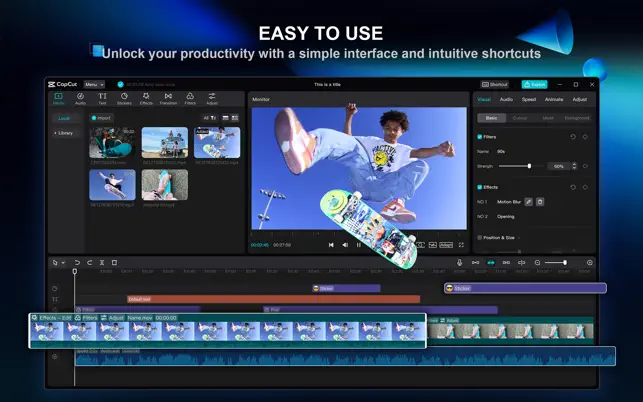
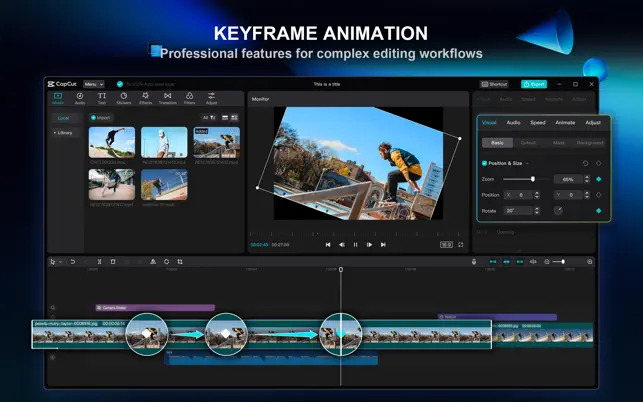
CapCut is a popular video editing app that helps users create, edit, and enhance videos with an easy-to-use interface and a wide range of creative tools. Whether you’re making short social media clips, travel videos, tutorials, or personal projects, CapCut offers flexible editing features suitable for both beginners and experienced creators.
The app includes tools for trimming clips, adding transitions, applying visual effects, inserting text, and enhancing audio. With its intuitive workflow, users can quickly transform raw footage into polished videos while experimenting with different editing styles and creative ideas.
Whether you want to produce simple everyday videos or more advanced content, CapCut provides a complete editing experience directly on your mobile device.
What Makes CapCut Stand Out?
One of CapCut’s biggest strengths is its balance between simplicity and functionality. New users can quickly learn the basic editing tools, while more experienced creators can take advantage of advanced features to produce more detailed projects.
The app offers a wide selection of transitions, filters, visual effects, and animated text options that make videos more engaging. Users can easily customize each project to match their preferred style without needing professional editing experience.
CapCut also provides flexible timeline editing, allowing users to trim, split, rearrange, and combine video clips with precision. This makes it easier to organize footage and create smooth storytelling.
Audio editing is another valuable feature. Users can add background music, adjust sound levels, include voice recordings, and synchronize audio with video content to create a more complete viewing experience.
The app also supports templates that help users create professional-looking videos more quickly. These templates provide ready-made editing styles that can be customized with personal photos and video clips.
How to Use CapCut
Getting started with CapCut is simple. Users first create a new project by importing videos and photos from their device. Once the media is added, the editing timeline allows clips to be arranged in any preferred order.
Basic editing includes trimming unnecessary sections, splitting clips, adjusting playback speed, and organizing scenes to create a smooth sequence. These tools help build the foundation of every project.
Users can then enhance their videos by adding transitions, visual effects, text, stickers, and filters. Each element can be adjusted individually to match the desired style and presentation.
Audio can also be customized by adding music, recording voiceovers, or adjusting volume levels for individual clips. Proper audio editing helps create a more polished final video.
Once editing is complete, users can preview the project, make final adjustments, and export the finished video in the available quality settings for sharing or personal use.
Tips to Improve Your CapCut Experience
Plan your video before editing. Organizing clips in advance makes the editing process faster and helps create a smoother final result.
Use transitions selectively. Simple transitions often create a cleaner viewing experience without distracting from the main content.
Experiment with filters and visual effects while keeping the overall style consistent throughout the project. A balanced approach usually creates a more professional appearance.
Review your timeline carefully before exporting. Checking for smooth scene changes, accurate text placement, and balanced audio can improve the overall quality of the finished video.
Try different templates when creating videos for social media. Templates provide creative inspiration while helping users complete projects more efficiently.
Finally, continue exploring CapCut’s editing tools. The more features you learn, the more creative possibilities become available for future video projects.
Create Videos with Confidence
CapCut combines powerful editing tools, creative effects, flexible customization, and an easy-to-use interface into a complete video editing solution. Whether you are editing short clips, personal memories, educational videos, or creative content, the app provides everything needed to build high-quality projects.
With intuitive controls, advanced editing features, and a wide range of creative options, CapCut helps users turn ideas into engaging videos. Every project offers an opportunity to develop new editing skills, experiment with creative techniques, and produce videos that match your unique style.